iPhone 17 Upgrade Homework
For the smoothest upgrade experience, complete these steps to back up your data and confirm your Apple ID password before your scheduled upgrade.
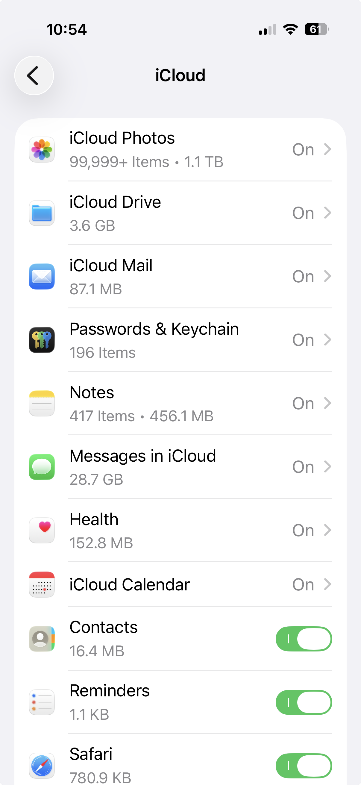
Back-Up iCloud Apps
- Photos
- Passwords & Keychain
- Notes
- Messages (optional. Note: photos received in Messages are not automatically in your Photos app)
- Contacts
- Health
- Reminders
Confirm Apple ID Sign In
Go to appleid.apple.com and verify that you can sign in with the Apple ID and password used on your KP iPhone. We want you to prevent having to retrieve it when we do your upgrade.
As a reminder, we do not restore backups when setting up new phones. Your phone will be set with a new default KP build.
Do not use iTunes to restore a backup onto your KP iPhone. Doing so will "brick" the phone.
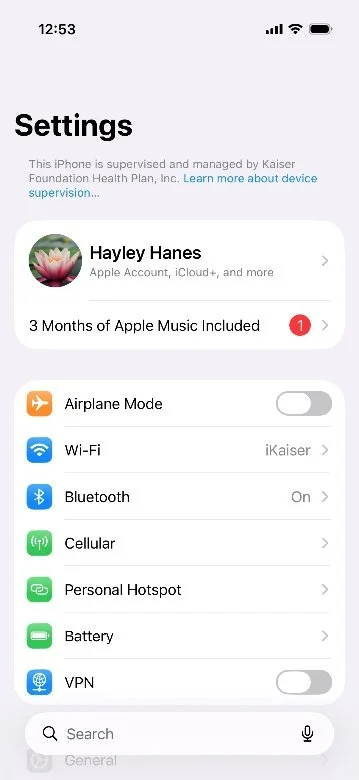
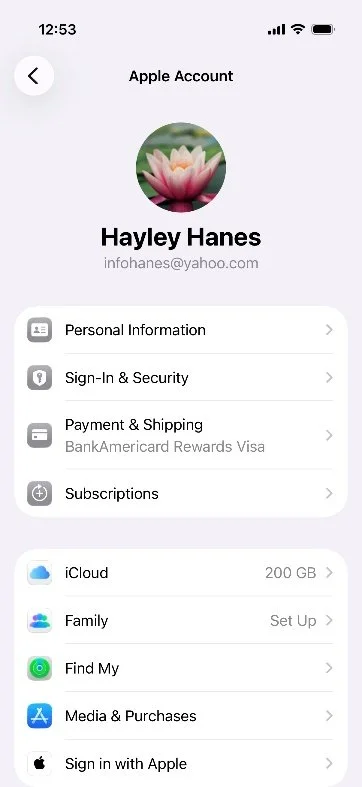
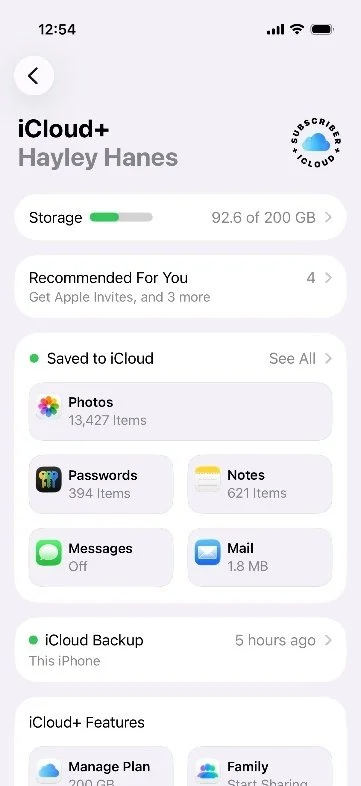
Where to Find These Settings
Follow the screens below from your Apple ID profile into iCloud to confirm the apps and data you want backed up.